How to change your email address
1. Login to your account.
2. Click Icon your account that located on top right corner and click "Account Setting"
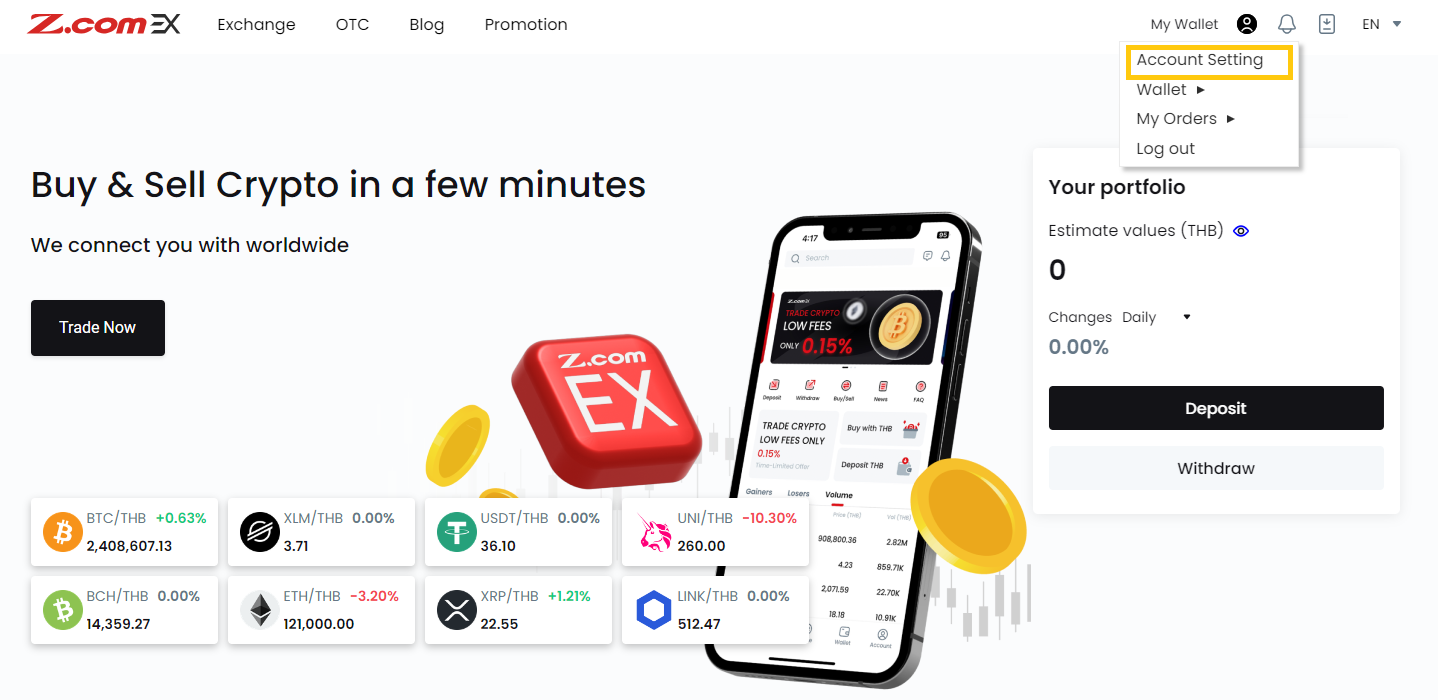
3. Go to "Security" at menu bar then click the menu. "Change "on the change email topic.
Note: If your account does not have 2FA enabled, please enable it before changing your email. Learn how to enable 2FA here.
Note: If your account does not have 2FA enabled, please enable it before changing your email. Learn how to enable 2FA here.
4. Enter your "New Email Address" then click "Update"
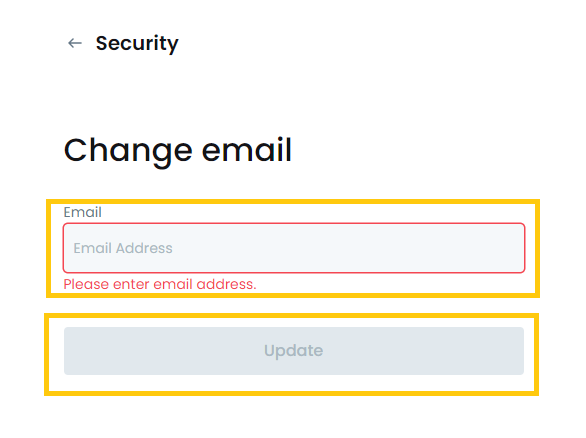
5. System will ask you to verify your 2FA code to submit the changing request.
6. You will receive verification e-mail, please click on link to complete the process.
If you are not able to proceed above steps you can follow steps below.
If you are not able to proceed above steps you can follow steps below.
1. Prepare passport and paper written
" To change email from …(old email)… to …(new email)…", with your signature and current date.
2. Take a selfie with your passport and the paper in hand.
3. Please send your selfie photo via live chat or email.
4. When the staff receives your request, they will be contacting you.
Should you have any inquiries, please contact customer service.